iPhone Duo · SoberDeck 1.1 · Free update

SoberDeck for iPhone Duo. Two panes, split at the fold.

Open your iPhone Duo and SoberDeck stops stretching one phone column across the inner display. Every screen splits into two panes that meet at the hinge: your count and today's log on one side, your pledge, your why and your progress on the other. Close it and you're back to the single column you know.

SoberDeck 1.1 brings the iPhone Duo layout. It's available now as a free update.
Open displayTwo panes at the fold
Closed displayThe single column you know
Version1.1, available now
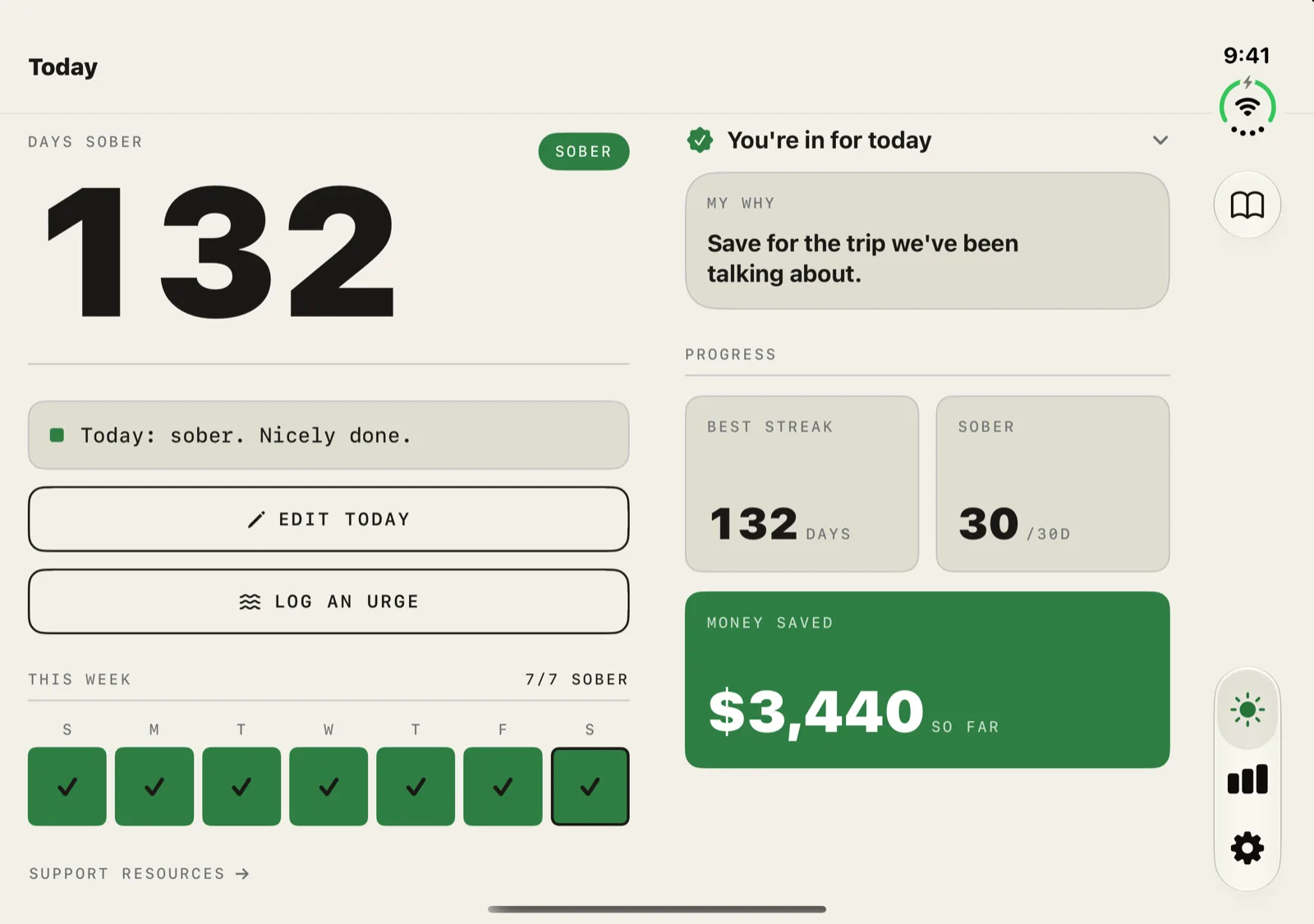
SoberDeck on iPhone Duo open display showing Today in two panes: 132 days sober, Edit today, Log an urge and the week strip on the left; the daily pledge, My Why, best streak and money saved on the right.
Today, openThe day counter, today's log, Log an urge and your week sit in the left pane. Your pledge, My Why, streaks and money saved fill the right.

01 — The open display

Every screen, in two halves.

On the Duo's inner display, SoberDeck reads where the fold is and puts the gap between its two panes right there. Nothing you tap sits on the crease: buttons, toggles, pickers and cards all stay inside one pane. Each pane scrolls by itself, so a long list on one side doesn't drag the other along, and the tab bar runs down the right edge.
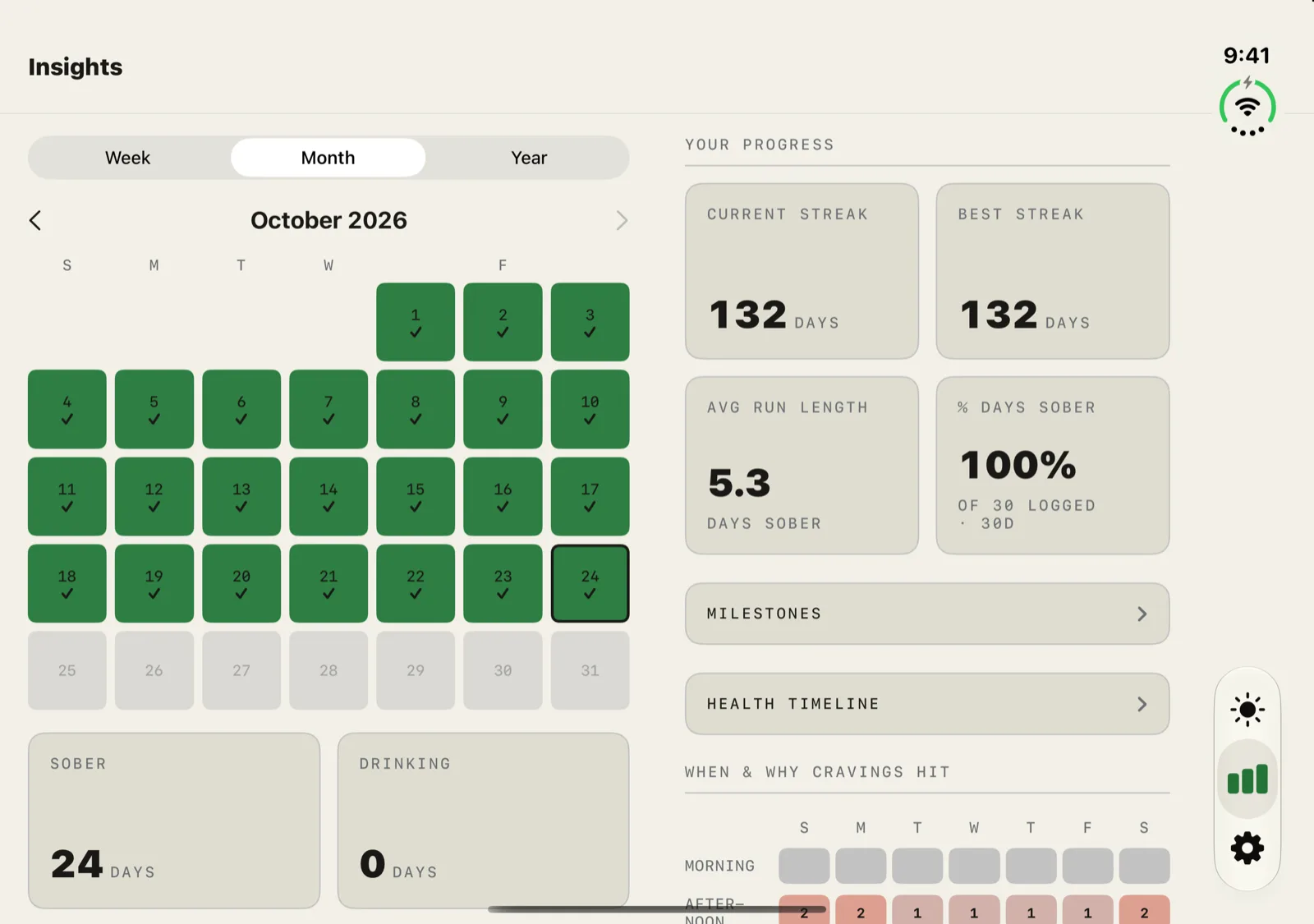
SoberDeck on iPhone Duo open display showing Insights: the Week, Month and Year picker with the October calendar on the left, and current streak, best streak, Milestones, Health timeline and craving patterns on the right.
InsightsThe Week, Month and Year picker and your calendar on the left. Streaks, the Milestones and Health timeline links, and when cravings hit on the right.
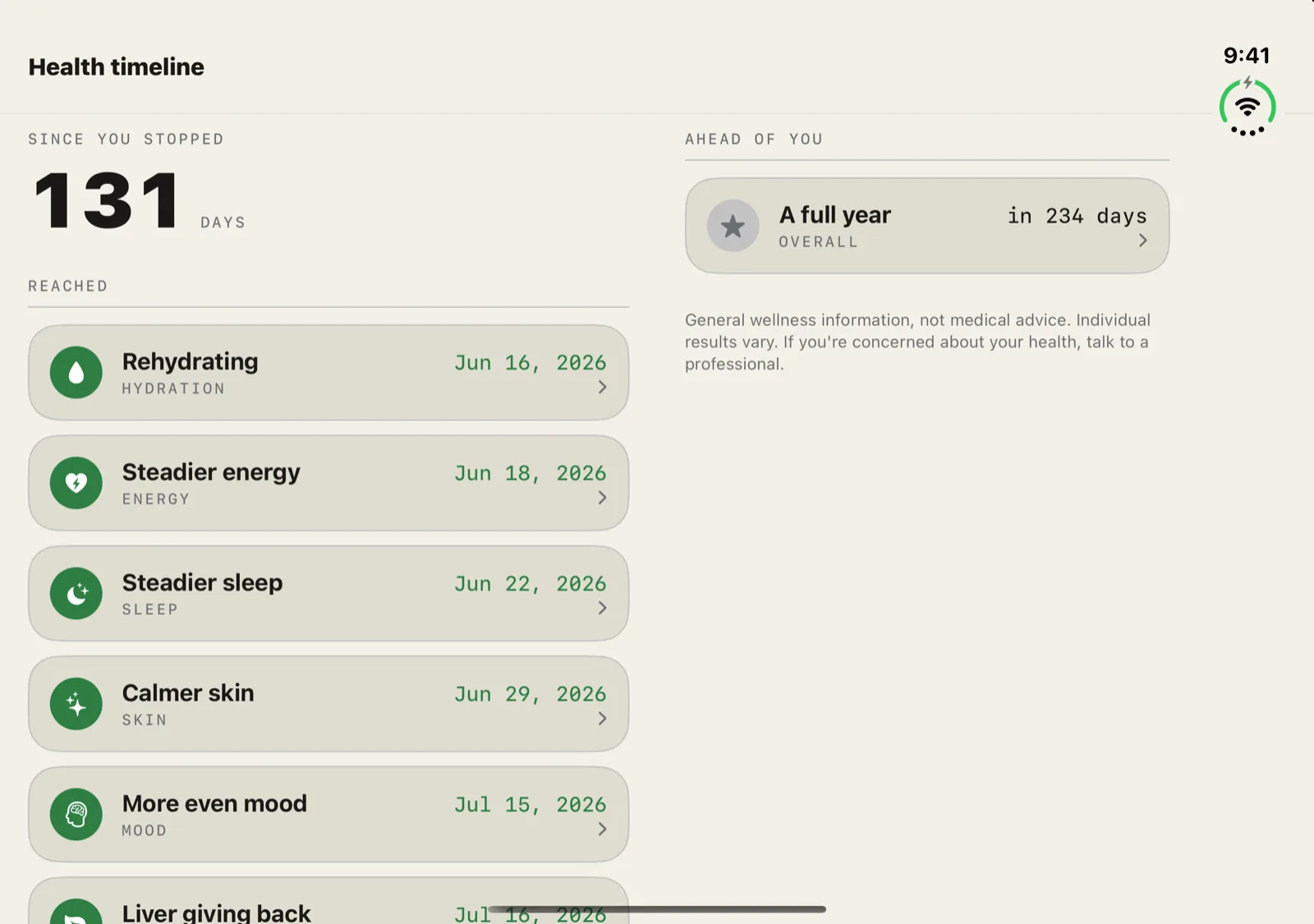
SoberDeck on iPhone Duo open display showing the Health timeline: 131 days since you stopped and the milestones reached on the left, the next milestone ahead and the wellness disclaimer on the right.
Health timelineDays since you stopped and what you've already reached on the left. What's ahead of you on the right, with the not-medical-advice note.
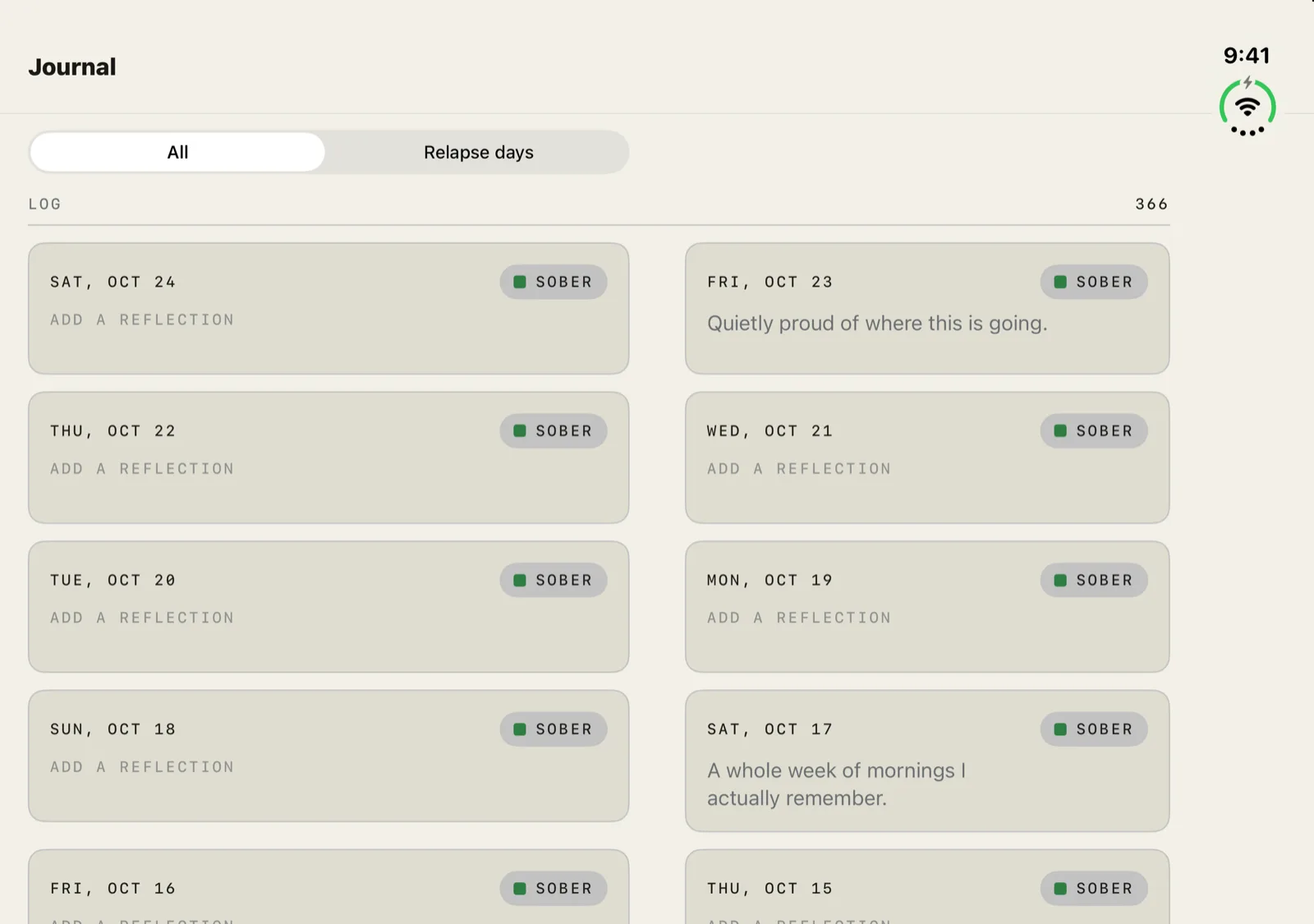
SoberDeck on iPhone Duo open display showing the Journal: dated sober days as cards in two columns, one on each side of the fold, with the All and Relapse days filter above the left column.
JournalYour days as cards in two columns lined up with the fold, so each pair matches. The All / Relapse days filter stays in the left pane.
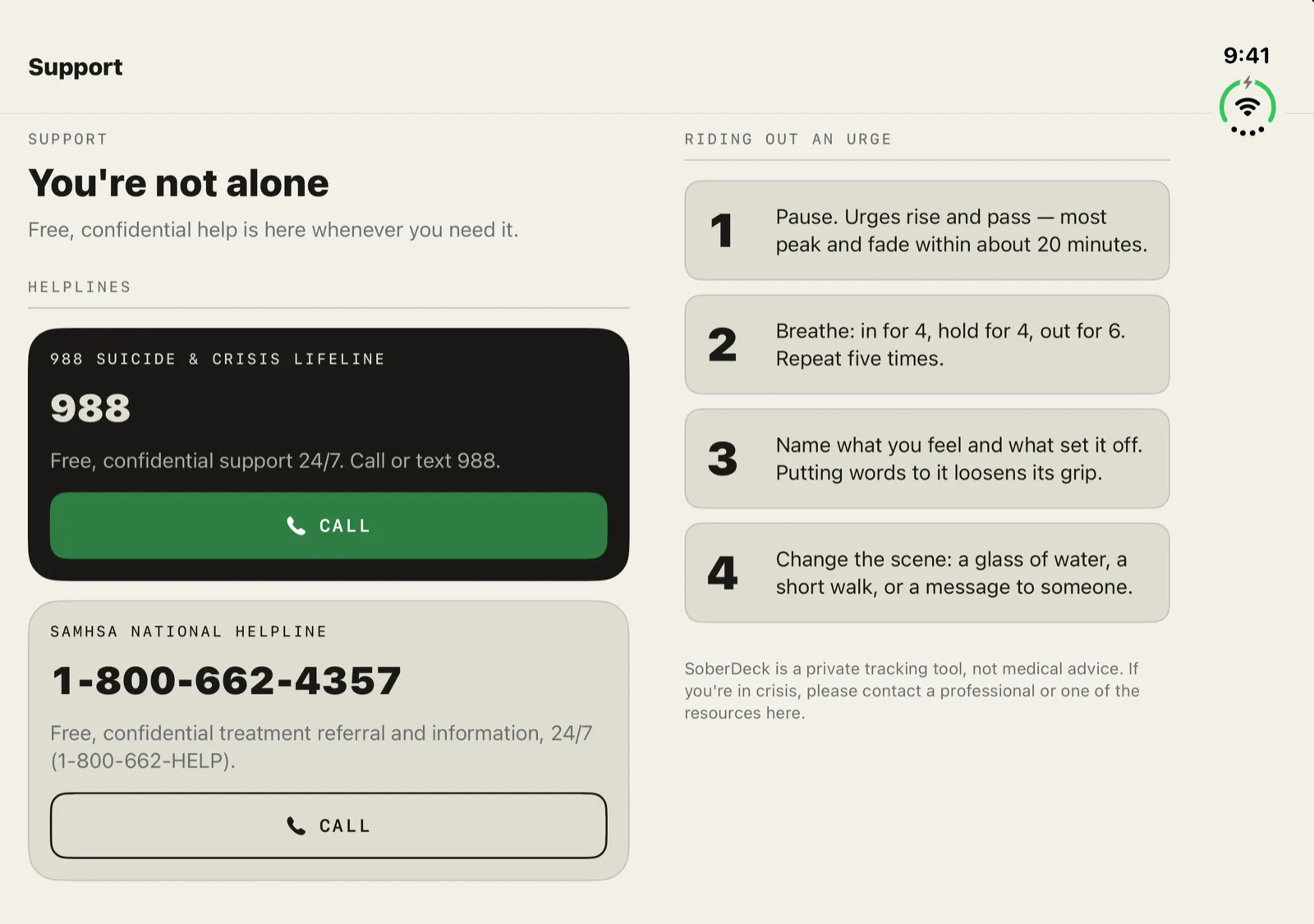
SoberDeck on iPhone Duo open display showing Support: the 988 and SAMHSA helplines with call buttons on the left, four steps for riding out an urge on the right.
SupportFree, confidential helplines with their call buttons on the left. Four steps for riding out an urge on the right.

The rest of the app works the same way: Settings, Milestones, a milestone's detail, Reminders, Export, the goal editor, Appearance, urge history, a day's journal note, Privacy and onboarding all split at the fold. Two screens stay full width on purpose. My Why and Behaviors are lists you swipe and reorder, so their rows run straight across.

02 — The closed display

Closed, it's the SoberDeck you know.

On the outer display SoberDeck keeps the single column it has on every iPhone, with the tab bar down the side. Turn the closed Duo sideways and it stays one column. Logging your day or an urge doesn't need the phone open.
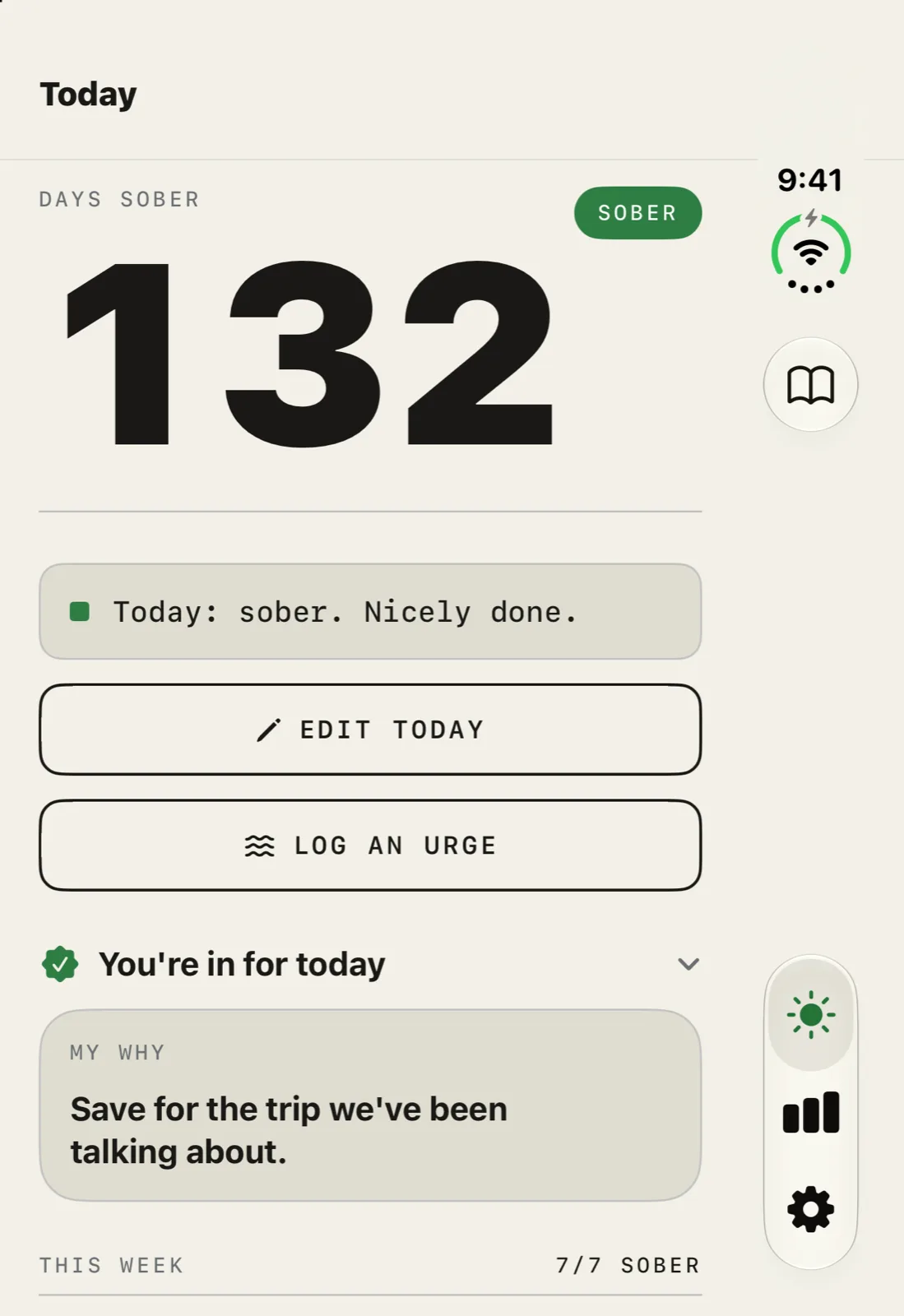
SoberDeck on iPhone Duo closed outer display showing Today in one column: 132 days sober, Edit today, Log an urge, the daily pledge and My Why, with the tab bar down the right side.
Today, closedYour count, today's log and Log an urge first, then your pledge and My Why below.
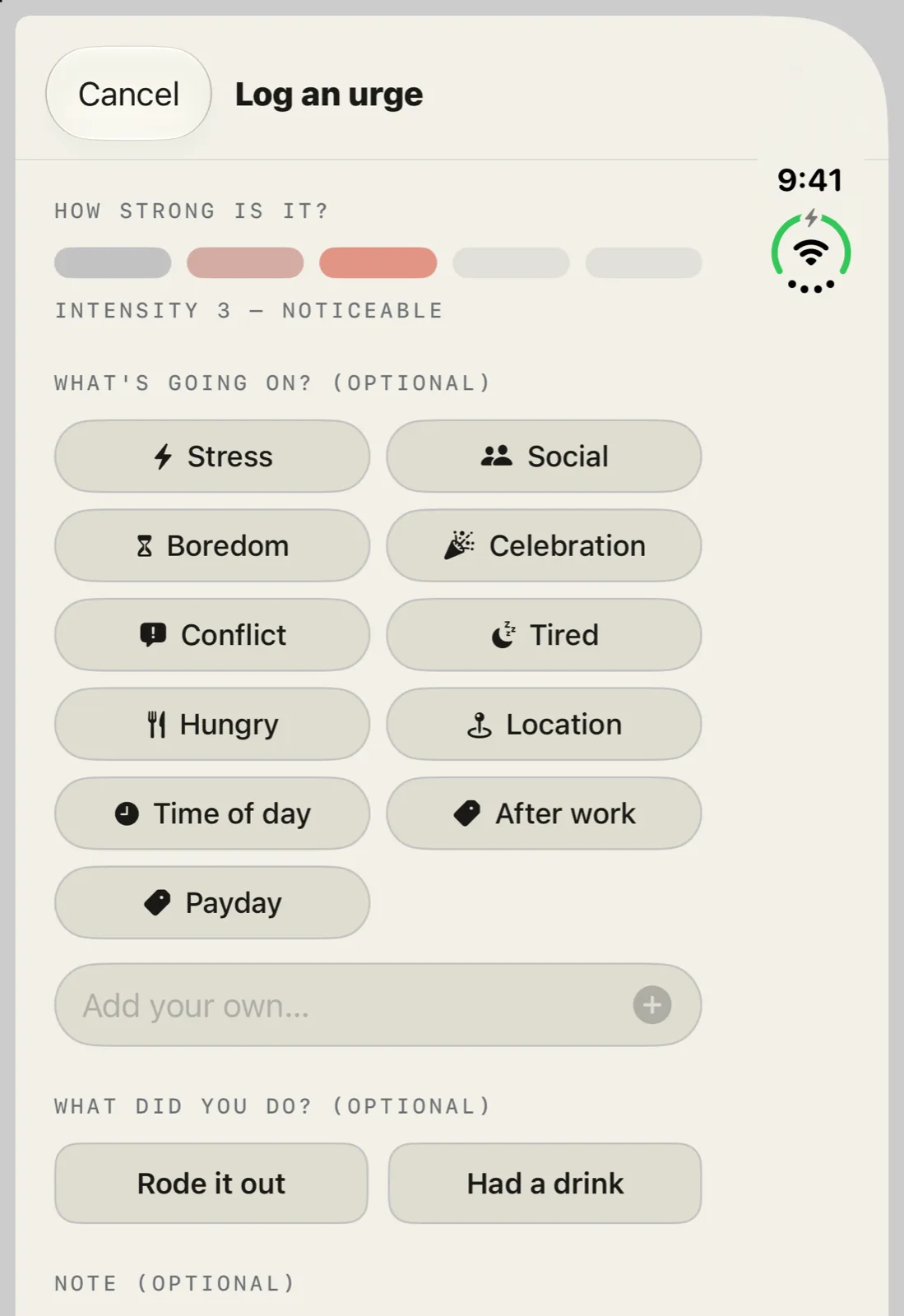
SoberDeck on iPhone Duo closed outer display showing the Log an urge sheet: an intensity scale, trigger chips such as Stress, Social and Boredom, and Rode it out or Had a drink.
Log an urge, closedRate how strong it is, tag what's going on and mark whether you rode it out, right on the outer display.

03 — Every pose

Fold it halfway. Nothing moves.

The split follows the fold even while the Duo lies flat, so the panes don't jump when you bend it into a book. Here's what you get in each way of holding it.

01

Open flat

Two panes with the gap on the hinge. The left pane is a little wider, because the tab bar takes the right edge.

02

Book pose

The same panes as flat, ending at the fold. Sheets such as Log a day open on the left leaf.

03

Laptop pose

The fold runs across the screen, so SoberDeck goes back to one column and sheets sit on the lower half.

04

Open, held upright

Turn the open Duo so the inner display is taller than wide and you get one column with a regular horizontal tab bar.

05

Closed

The outer display keeps the single column, with the tab bar down the side, in portrait and in landscape.

06

Any iPhone, sideways

Turn a regular iPhone to landscape and SoberDeck 1.1 uses the same two panes, split evenly down the middle.

See everything SoberDeck does →

04 — Questions

iPhone Duo questions, answered.

Does SoberDeck work on iPhone Duo?
Yes. SoberDeck 1.1 is built for iPhone Duo, with a two-pane layout on the open inner display and the familiar single column on the closed outer display. Version 1.1 is available now on the App Store as a free update.
What changes when I unfold it?
Every screen splits into two panes, and the gap between them sits on the fold. On Today, your count, today's log and Log an urge are on the left; your pledge, My Why, streaks and money saved are on the right. Insights, Settings, Milestones, the health timeline, the journal and Support split the same way. Buttons and cards never straddle the fold, and each pane scrolls on its own.
Does it work when the Duo is closed?
Yes. The outer display gets the same single-column SoberDeck you'd see on any iPhone, with the tab bar down the side. You can log today, log an urge and check your insights without opening the phone.
What happens in the book and laptop poses?
In the book pose the panes stay exactly where they were when the Duo was flat, and sheets such as Log a day open on the left leaf. In the laptop pose, with the fold running across the screen, SoberDeck goes back to one column and sheets sit on the lower half.
Do I get two panes on a regular iPhone?
Yes, in landscape. Turn any iPhone sideways and SoberDeck 1.1 uses the same two panes, split evenly down the middle. In portrait nothing changes.
Is the iPhone Duo layout a Premium feature?
No. The layout applies to every screen in the app. The free core stays free, and Premium features such as year-view trends need Premium on the Duo just as they do anywhere else. See pricing.
Does anything change about my data on iPhone Duo?
No. Your logs stay on your device exactly as before. There's still no account and no server of ours, and iCloud sync stays optional. More on that in how the privacy works.

Free · iOS 18+ · No account

Your deck, unfolded.

SoberDeck is on the App Store now for every iPhone. The iPhone Duo layout is in version 1.1, a free update available now.